06-Isaac ROS Image segmentation
Isaac ROS image segmentation official website link:https://nvidia-isaac-ros.github.io/repositories_and_packages/isaac_ros_image_segmentation/index.html
Overview
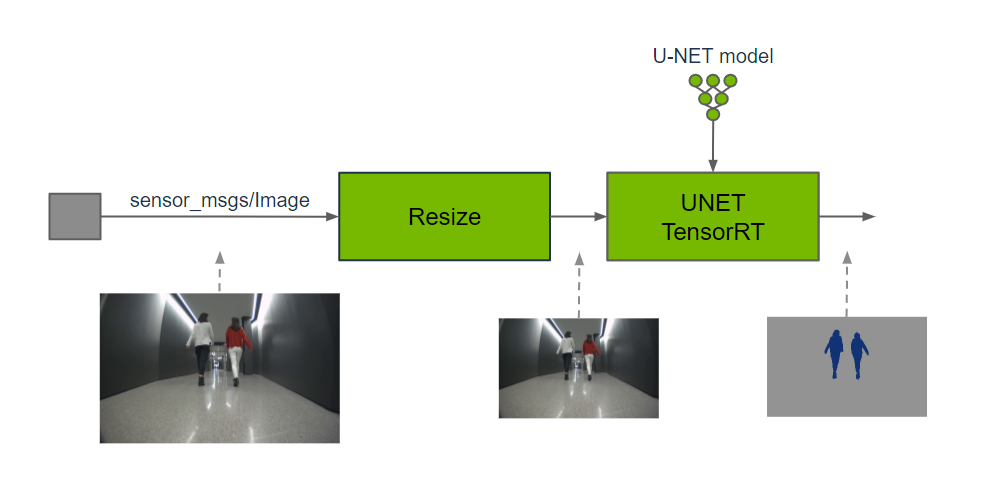
Isaac ROS Image Segmentation contains ROS packages for semantic image segmentation.
These packages provide methods for classification of an input image at the pixel level by running GPU-accelerated inference on a DNN model. Each pixel of the input image is predicted to belong to a set of defined classes. The output prediction can be used by perception functions to understand where each class is spatially in a 2D image or fuse with a corresponding depth location in a 3D scene.
Quick Experience
To simplify development, we primarily use the Isaac ROS Dev Docker image and demonstrate the effects there. This demonstration does not require any camera device installation; it simulates the data stream from a camera by playing a rosbag file.
Note: If you wish to install on your own device or connect a camera to develop other features, please refer to the Isaac ROS official website and connect to an NVIDIA-specified camera model for your own development.
Open a terminal and enter the working directory.
cd ${ISAAC_ROS_WS}/src
Enter the Isaac ROS Dev Docker container.
cd ${ISAAC_ROS_WS}/src/isaac_ros_common && \
./scripts/run_dev.sh
Run the following startup command.
ros2 launch isaac_ros_examples isaac_ros_examples.launch.py ••launch_fragments:=segformer interface_specs_file:=${ISAAC_ROS_WS}/isaac_ros_assets/isaac_ros_segformer/quickstart_interface_specs.json model_name:=peoplesemsegformer model_repository_paths:=[${ISAAC_ROS_WS}/isaac_ros_assets/models]
Open a second terminal and enter the container.
cd ${ISAAC_ROS_WS}/src/isaac_ros_common && \
./scripts/run_dev.sh
Run the following command:
ros2 bag play -l isaac_ros_assets/isaac_ros_segformer/segformer_sample_data
View the results
Open a third terminal and enter the container.
cd ${ISAAC_ROS_WS}/src/isaac_ros_common && \
./scripts/run_dev.sh
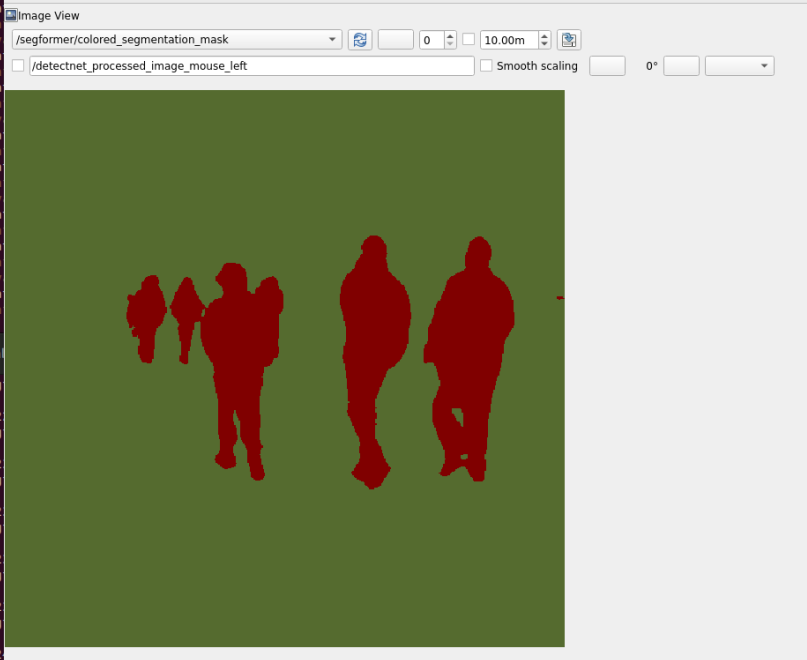
Run the following command to view the results.
ros2 run rqt_image_view rqt_image_view /segformer/colored_segmentation_mask