10-Isaac ROS Visual SLAM
Isaac ROS Visual SLAM official website link:https://nvidia-isaac-ros.github.io/repositories_and_packages/isaac_ros_visual_slam/index.html
Overview
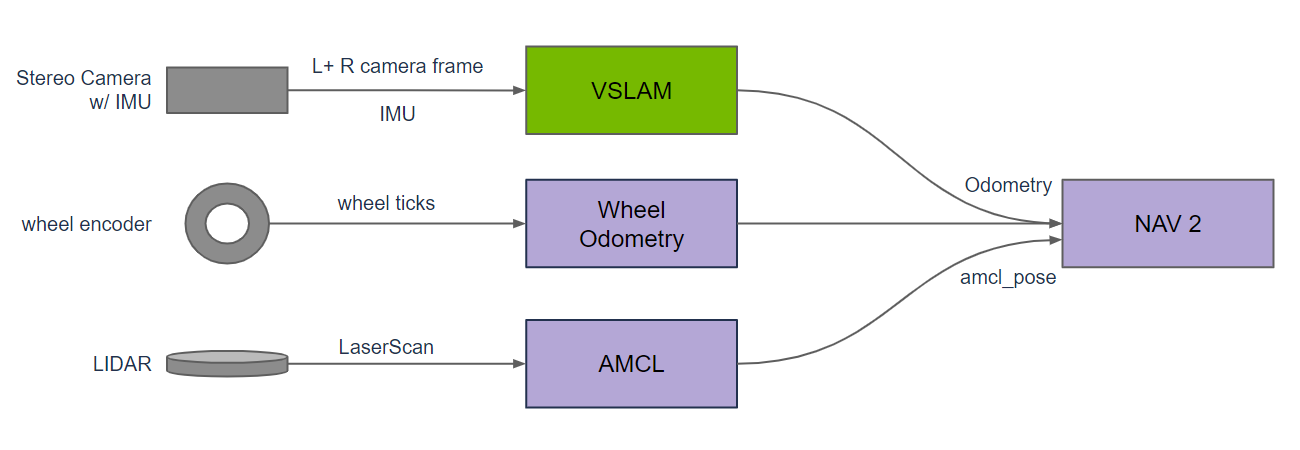
Isaac ROS Visual SLAM provides a high-performance, best-in-class ROS 2 package for VSLAM (visual simultaneous localization and mapping). This package uses one or more stereo cameras and optionally an IMU to estimate odometry as an input to navigation. It is GPU accelerated to provide real-time, low-latency results in a robotics application. VSLAM provides an additional odometry source for mobile robots (ground based) and can be the primary odometry source for drones.
Quick Experience
To simplify development, we primarily use the Isaac ROS Dev Docker image and demonstrate the effects there. This demonstration does not require any camera device installation; it simulates the data stream from a camera by playing a rosbag file.
Note: If you wish to install on your own device or connect a camera to develop other features, please refer to the Isaac ROS official website and connect to an NVIDIA-specified camera model for your own development.
Open a terminal and enter the working directory.
cd ${ISAAC_ROS_WS}/src
Enter the Isaac ROS Dev Docker container.
cd ${ISAAC_ROS_WS}/src/isaac_ros_common && \
./scripts/run_dev.sh
Run the following startup command.
rviz2 -d $(ros2 pkg prefix isaac_ros_visual_slam --share)/rviz/default.cfg.rviz
Open a second terminal and enter the container.
cd ${ISAAC_ROS_WS}/src/isaac_ros_common && \
./scripts/run_dev.sh
Run the following command.
ros2 launch isaac_ros_examples isaac_ros_examples.launch.py launch_fragments:=visual_slam \
interface_specs_file:=${ISAAC_ROS_WS}/isaac_ros_assets/isaac_ros_visual_slam/quickstart_interface_specs.json \
rectified_images:=false
View the Run Results
Open a third terminal and enter the container.
cd ${ISAAC_ROS_WS}/src/isaac_ros_common && \
./scripts/run_dev.sh
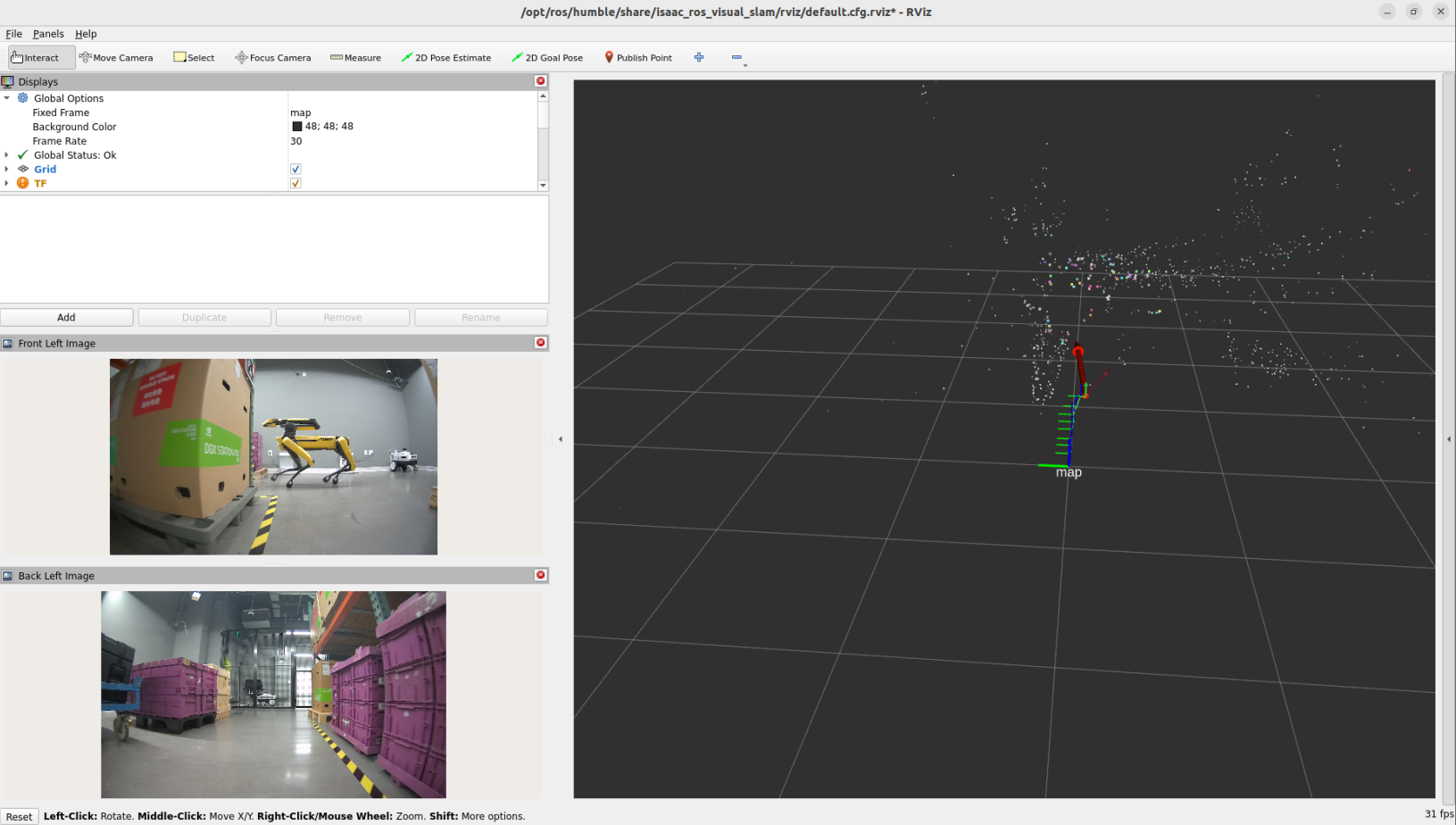
Run the following command to see the rviz2 display. If no images appear, run the command again.
ros2 bag play ${ISAAC_ROS_WS}/isaac_ros_assets/isaac_ros_visual_slam/quickstart_bag --remap \
/front_stereo_camera/left/image_raw:=/left/image_rect \
/front_stereo_camera/left/camera_info:=/left/camera_info_rect \
/front_stereo_camera/right/image_raw:=/right/image_rect \
/front_stereo_camera/right/camera_info:=/right/camera_info_rect \
/back_stereo_camera/left/image_raw:=/rear_left/image_rect \
/back_stereo_camera/left/camera_info:=/rear_left/camera_info_rect \
/back_stereo_camera/right/image_raw:=/rear_right/image_rect \
/back_stereo_camera/right/camera_info:=/rear_right/camera_info_rect