1-3-Torchvision
Torchvision is a PyTorch companion library that provides popular datasets, model architectures, and image transformations for computer vision tasks.
This document explains how to install and verify Torchvision on NVIDIA Jetson platforms.
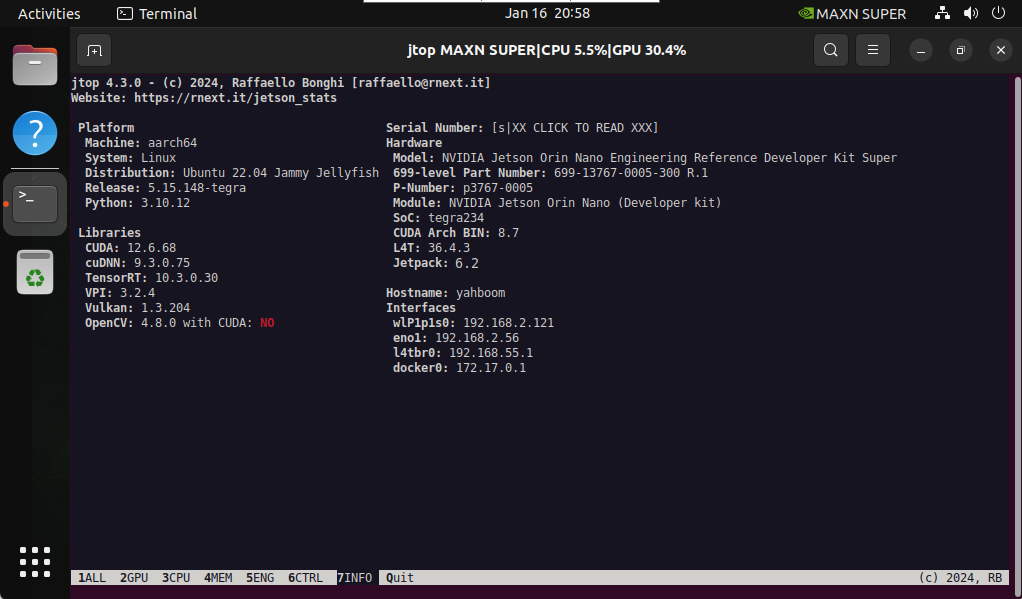
1. System Information
Before installation, confirm your system environment.
2. Install Dependencies
Update the system:
sudo apt update
Install required build dependencies:
sudo apt install -y ninja-build libwebp-dev libjpeg-dev
3. Install Torchvision
Torchvision versions must match the installed PyTorch version.
Version Compatibility
torch torchvision Python
main / nightly main / nightly >=3.9, <=3.12 2.5 0.20 >=3.9, <=3.12
For PyTorch 2.5, Torchvision 0.20 is required.
3.1 Offline Installation
Download the Torchvision wheel file manually:
Download URL (external):
https://github.com/ultralytics/assets/releases/download/v0.0.0/torchvision-0.20.0a0+afc54f7-cp310-cp310-linux_aarch64.whl
Navigate to the download directory:
cd ~/Downloads
Install Torchvision:
sudo pip3 install torchvision-0.20.0a0+afc54f7-cp310-cp310-linux_aarch64.whl
3.2 Online Installation
Install Torchvision directly via pip:
sudo pip3 install https://github.com/ultralytics/assets/releases/download/v0.0.0/torchvision-0.20.0a0+afc54f7-cp310-cp310-linux_aarch64.whl
3.3 Source Code Compilation (Advanced)
Download the Torchvision source code (v0.20):
https://github.com/pytorch/vision/tree/v0.20.0
Enter the extracted directory and build from source:
cd vision-0.20.0
sudo python3 setup.py install
Source compilation is recommended only if prebuilt wheels are unavailable or customization is required.
4. Verify Installation
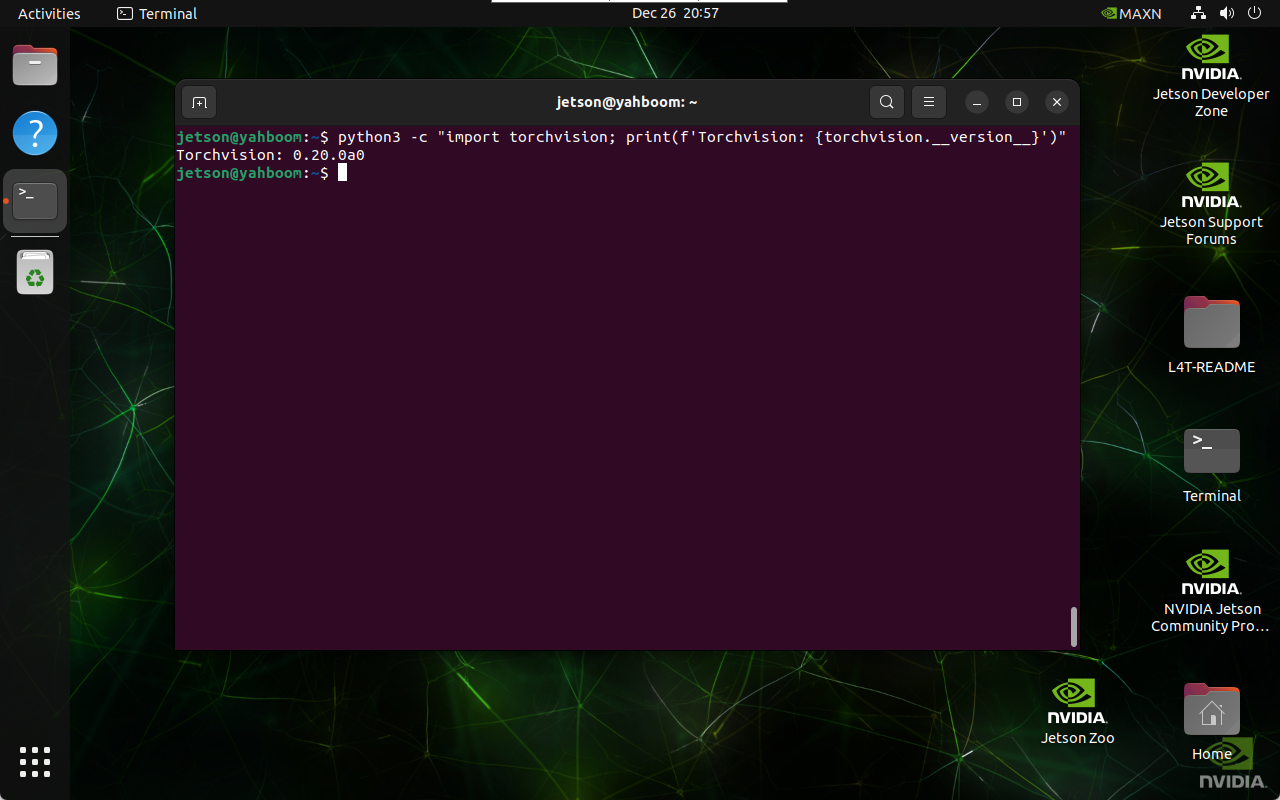
Verify that Torchvision is installed correctly:
python3 -c "import torchvision; print(f'Torchvision: {torchvision.__version__}')"
Expected output:
References
-
PyTorch Vision GitHub Repository:
https://github.com/pytorch/vision -
Ultralytics Jetson Guide:
https://docs.ultralytics.com/guides/nvidia-jetson/
Maintained by HemiHex for Jetson-based advanced vision workflows.