6-YOLO Environment Construction
This document describes how to set up a YOLO development and inference environment on NVIDIA Jetson platforms using Ultralytics YOLO with GPU acceleration.
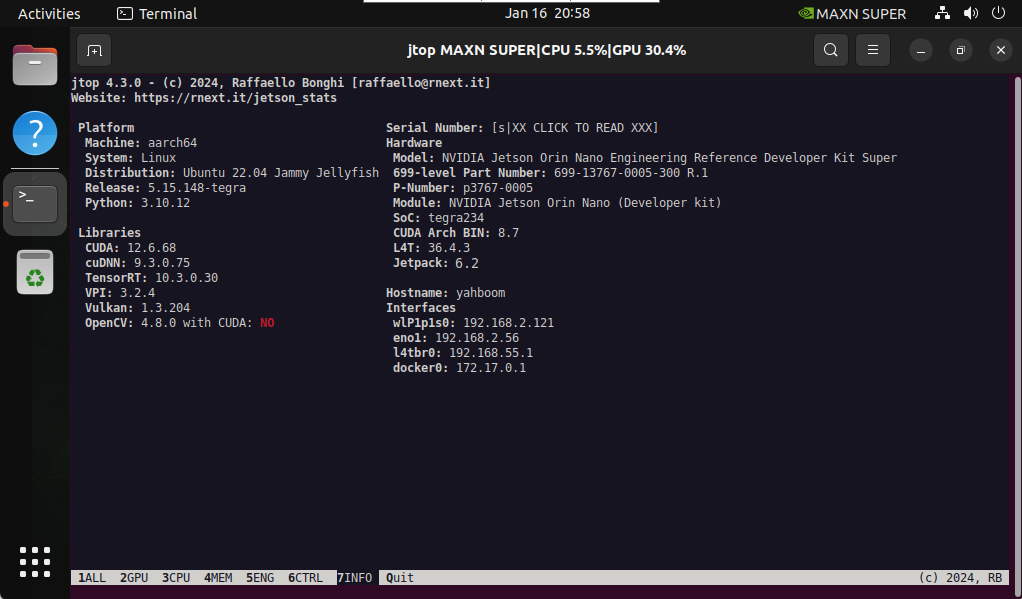
1. System Information
Verify your system environment before installation.
2. Preliminary Preparation
Update system packages and ensure pip is available:
sudo apt update
sudo apt install python3-pip -y
sudo pip install -U pip
3. Install Ultralytics YOLO
Install the Ultralytics YOLO framework with export support:
sudo pip3 install ultralytics[export]
Reboot the system after installation:
sudo reboot
4. Configure GPU Acceleration
Torch and Torchvision were installed in previous sections. The following steps install additional GPU-related dependencies.
4.1 Torch
sudo pip3 install https://github.com/ultralytics/assets/releases/download/v0.0.0/torch-2.5.0a0+872d972e41.nv24.08-cp310-cp310-linux_aarch64.whl
4.2 Torchvision
sudo pip3 install https://github.com/ultralytics/assets/releases/download/v0.0.0/torchvision-0.20.0a0+afc54f7-cp310-cp310-linux_aarch64.whl
4.3 cuSPARSELt
wget https://developer.download.nvidia.com/compute/cuda/repos/ubuntu2204/arm64/cuda-keyring_1.1-1_all.deb
sudo dpkg -i cuda-keyring_1.1-1_all.deb
sudo apt-get update
sudo apt-get -y install libcusparselt0 libcusparselt-dev
4.4 ONNX Runtime GPU
sudo pip3 install https://github.com/ultralytics/assets/releases/download/v0.0.0/onnxruntime_gpu-1.20.0-cp310-cp310-linux_aarch64.whl
onnxruntime-gpu requires a specific NumPy version.
Install the compatible NumPy version:
sudo pip3 install numpy==1.23.5
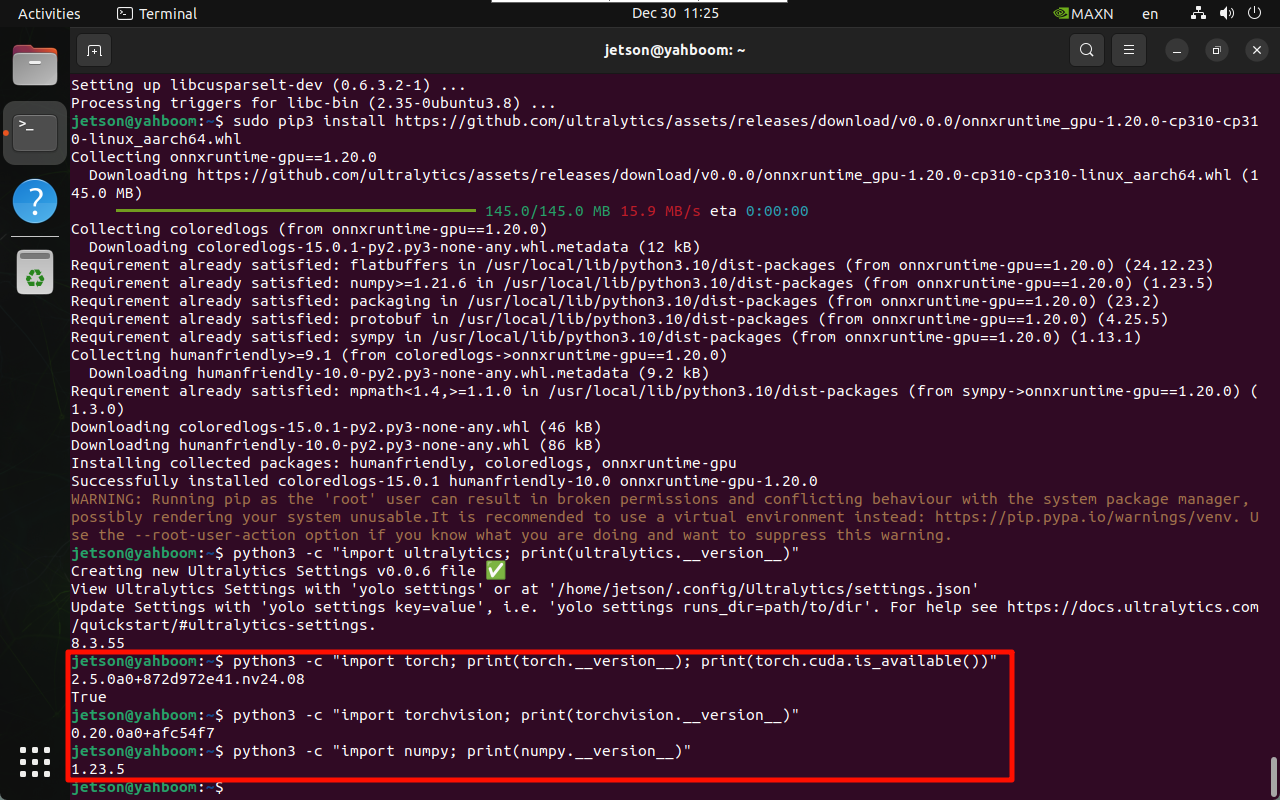
5. Verify the Installation
Verify Ultralytics
python3 -c "import ultralytics; print(ultralytics.__version__)"
Verify Torch
python3 -c "import torch; print(torch.__version__); print(torch.cuda.is_available())"
Verify Torchvision
python3 -c "import torchvision; print(torchvision.__version__)"
Verify NumPy
python3 -c "import numpy; print(numpy.__version__)"
6. Common Errors
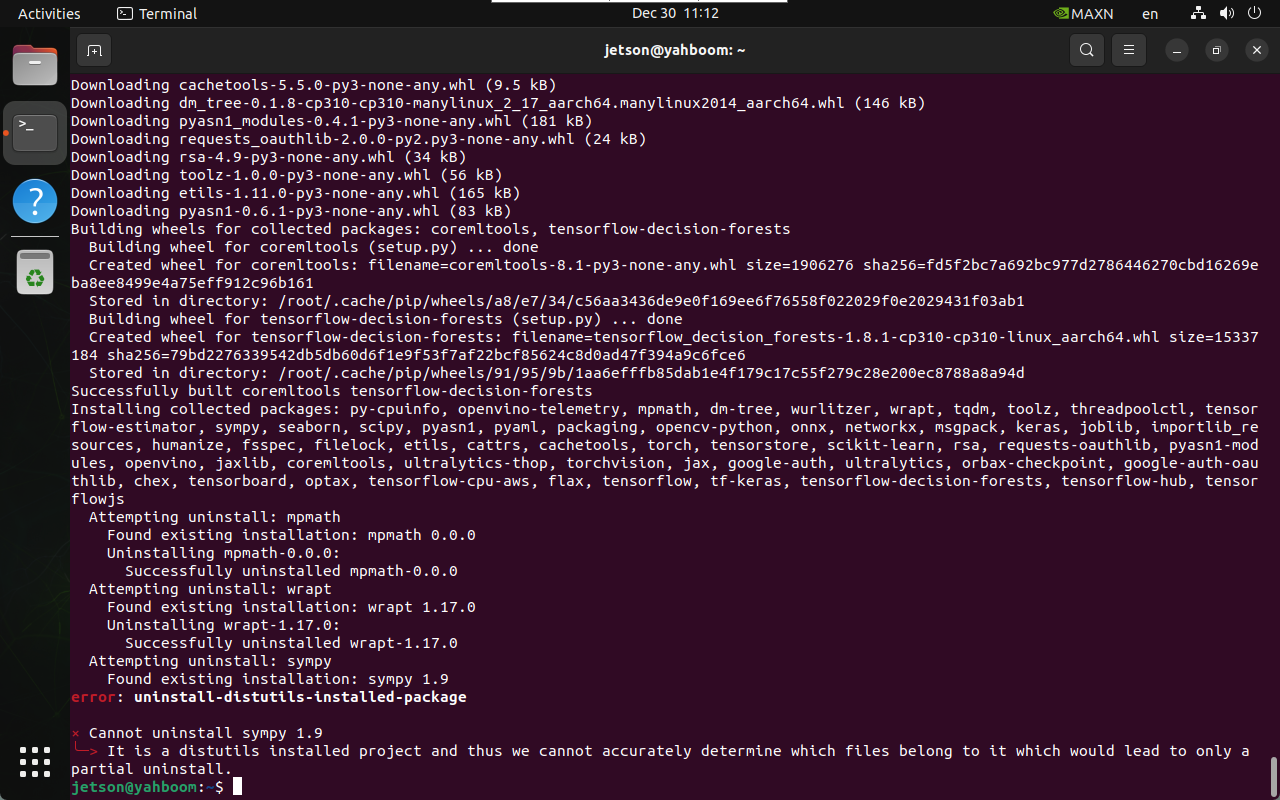
6.1 Cannot Uninstall sympy
Error: Unable to uninstall sympy
Solution:
sudo apt remove python3-sympy -y
Reinstall PyTorch afterward if required.
6.2 CSI Camera Cannot Be Called
If the CSI camera does not work with YOLO inference:
- Rebuild OpenCV from source
- Ensure CUDA and GStreamer support are enabled
- Remove old OpenCV versions before reinstalling
This resolves most CSI camera access issues on Jetson platforms.
References
- Ultralytics YOLO Documentation: https://docs.ultralytics.com/
- NVIDIA Jetson AI Lab: https://pypi.jetson-ai-lab.dev/
Maintained by HemiHex for Jetson-based advanced vision and YOLO workflows.