03-Common Commands and Tools
3.1 Starting Node Methods
3.1.1 Launch File
There are at least two ways to start a launch file using roslaunch:
- Using the ROS package path
roslaunch pkg_name launchfile_name.launch
- Using the absolute path to the launch file
roslaunch /absolute/path/to/launchfile.launch
Common Parameters
--screen— Output node logs directly to the terminal.arg:=value— Pass parameters into the launch file.
Example:
roslaunch pkg_name launchfile_name model:=urdf/myfile.urdf
Or:
roslaunch pkg_name launchfile_name model:='$(find urdf_pkg)/urdf/myfile.urdf'
roslaunch automatically checks whether the ROS master is running and starts it if necessary.
3.1.2 rosrun
Before starting any node, you must first start the ROS master:
roscore
Start a node using:
rosrun pkg_name node_name
rosrun searches for an executable file inside the package and runs it with optional arguments.
3.1.3 Python Script Execution
If the node is written in Python, it can be executed directly from its directory. Be sure to distinguish between Python 2 and Python 3:
python your_node.py
python3 your_node.py
3.1.4 Start a Little Turtle
roscore
rosrun turtlesim turtlesim_node
rosrun turtlesim turtle_teleop_key
Use the arrow keys (Up, Down, Left, Right) to control the turtle.
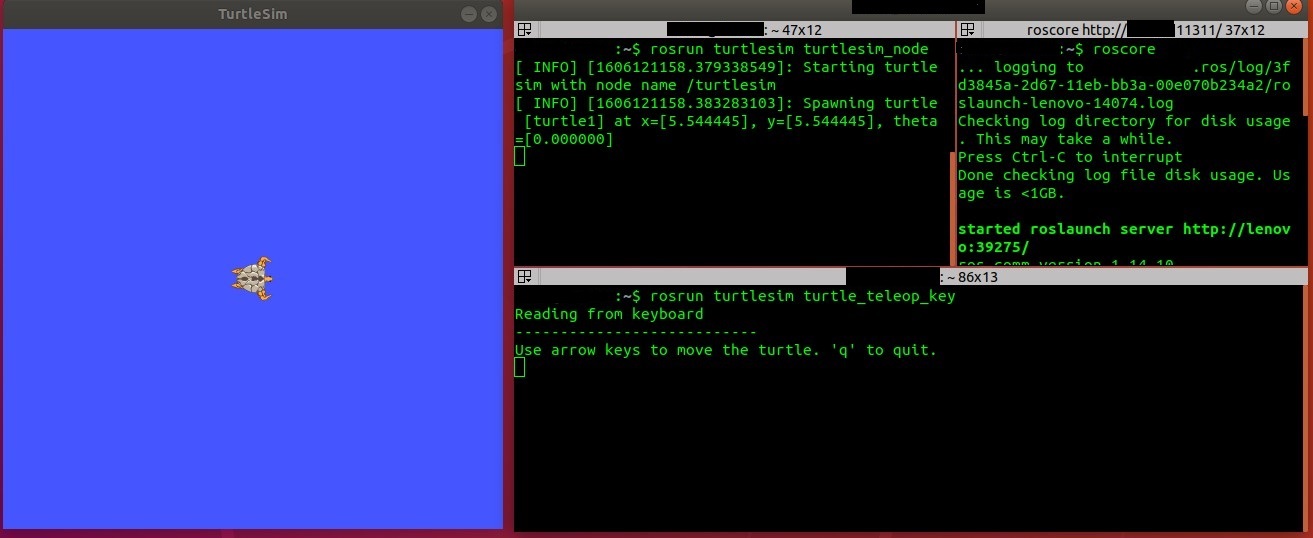
Turtlesim node output example:
[ INFO] Starting turtlesim with node name /turtlesim
[ INFO] Spawning turtle [turtle1]
3.1.5 Start Two Little Turtles
Install Required Package
sudo apt install ros-melodic-turtle-tf
Launch Demo
roslaunch turtle_tf turtle_tf_demo.launch
Keyboard Control
rosrun turtlesim turtle_teleop_key
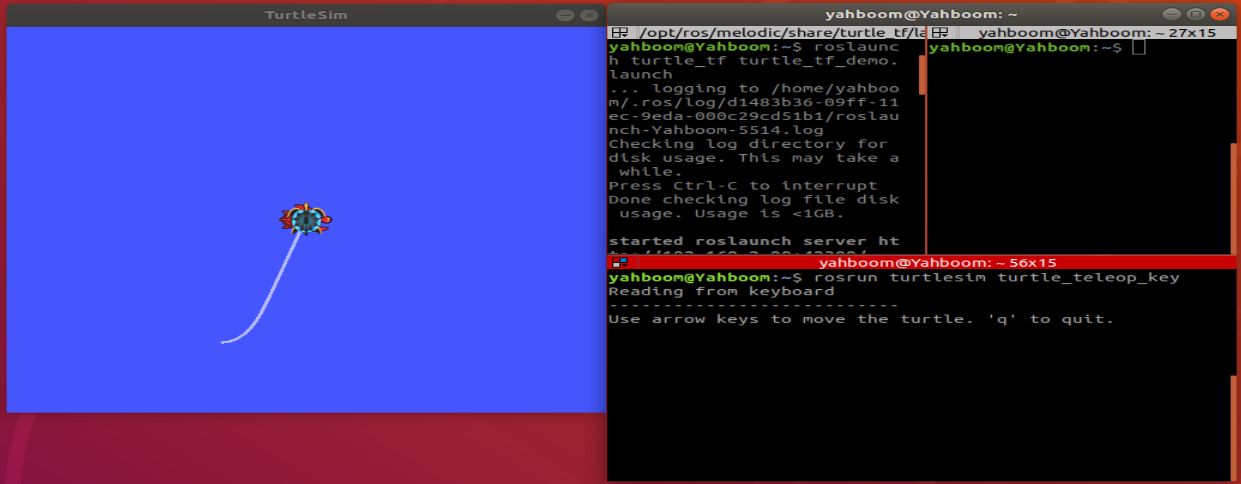
Press the arrow keys to drive one turtle while the other follows.
3.2 Launch Files
3.2.1 Overview
In ROS, a single node usually performs a single task. A complete robot system often requires many nodes to run together. Launch files allow multiple nodes to be started simultaneously using a single command.
3.2.2 File Format
Launch files are written in XML format:
<?xml version="1.0"?>
<launch>
</launch>
Common tags include:
<launch>
<node>
<include>
<param>
<rosparam>
<arg>
<group>
</launch>