15-Add Polygons with OpenCV
1. Implementation Principle
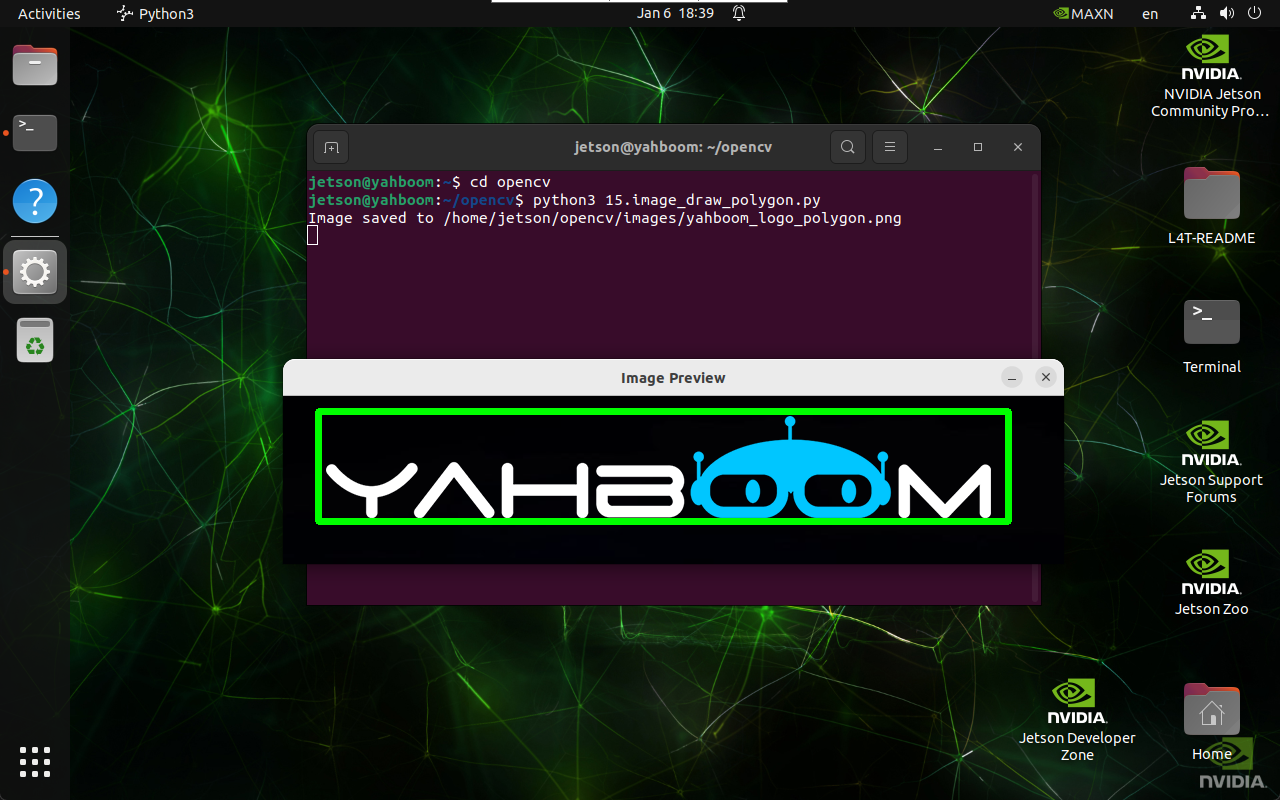
Use the cv2.polylines() function to draw polygons on an image.
2. Implementation Effect
cd ~/opencv
python3 15.image_draw_polygon.py
note
Select the image and press q to exit the program.
3. Implementation Code
import cv2
import numpy as np

def draw_polygon(input_path, output_path, points, is_closed, color, thickness):
    image = cv2.imread(input_path)
    if image is None:
        print("Error: Unable to open image file.")
        return

    points = np.array(points, np.int32)
    points = points.reshape((-1, 1, 2))

    cv2.polylines(image, [points], is_closed, color, thickness)

    if cv2.imwrite(output_path, image):
        print(f"Image saved to {output_path}")
        cv2.imshow('Image Preview', cv2.imread(output_path))
        cv2.waitKey(0)
        cv2.destroyAllWindows()
    else:
        print("Error: Unable to save image file.")

draw_polygon(
    '/home/jetson/opencv/images/hemihex_logo.png',
    '/home/jetson/opencv/images/hemihex_logo_polygon.png',
    [(35, 15), (725, 15), (725, 125), (35, 125)],
    True,
    (0, 255, 0),
    5
)