12-Add Rectangles with OpenCV
This section explains how to draw rectangles on an image using OpenCV in Python.
Drawing rectangles is commonly used for: - Highlighting regions of interest (ROI) - Visualizing detection results - Debugging and annotation in computer vision pipelines
1. Implementation Principle
OpenCV provides the cv2.rectangle() function to draw a rectangle
directly on an image.
cv2.rectangle(image, top_left, bottom_right, color, thickness)
Where: - image is the input image - top_left is the (x, y)
coordinate of the top-left corner - bottom_right is the (x, y)
coordinate of the bottom-right corner - color is the rectangle color
in BGR format - thickness defines the line thickness (-1 fills
the rectangle)
2. Implementation Effect
Navigate to the OpenCV working directory:
cd ~/opencv
Run the rectangle drawing script:
python3 12.image_draw_rectangle.py
Select the image window and press q to exit the program.
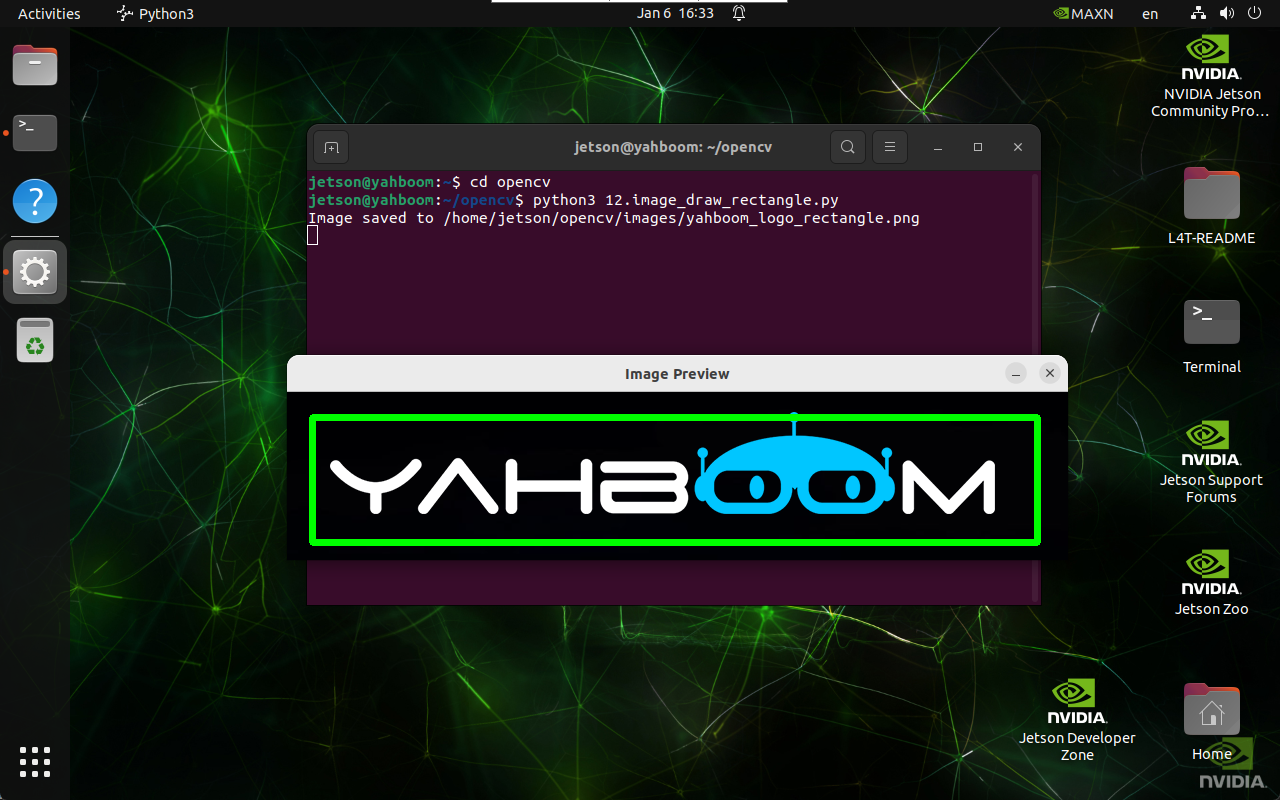
3. Implementation Code
import cv2

def draw_rectangle(input_path, output_path, top_left, bottom_right, color, thickness):
    image = cv2.imread(input_path)

    if image is None:
        print("Error: Unable to open image file.")
        return

    cv2.rectangle(image, top_left, bottom_right, color, thickness)

    if cv2.imwrite(output_path, image):
        print(f"Image saved to {output_path}")
        cv2.imshow('Image Preview', cv2.imread(output_path))
        cv2.waitKey(0)
        cv2.destroyAllWindows()
    else:
        print("Error: Unable to save image file.")

draw_rectangle(
    '/home/jetson/opencv/images/hemihex_logo.png',
    '/home/jetson/opencv/images/hemihex_logo_rectangle.png',
    (25, 25),
    (750, 150),
    (0, 255, 0),
    5
)
4. Code Explanation
cv2.imread()loads the source imagecv2.rectangle()draws the rectanglecv2.imwrite()saves the annotated image- Display functions preview the result
Maintained by HemiHex for OpenCV-based image processing workflows.