06-Image Translation with OpenCV
This section explains how to translate (shift) an image using OpenCV with an affine transformation.
Image translation is commonly used for: - Data augmentation - Alignment correction - Preprocessing for vision algorithms
1. Implementation Principle
OpenCV uses the cv2.warpAffine() function to perform affine
transformations, including:
- Translation
- Rotation
- Scaling
- Shearing
For translation, a 2×3 transformation matrix is defined as:
[ 1  0  tx ]
[ 0  1  ty ]
Where: - tx is the horizontal shift - ty is the vertical shift
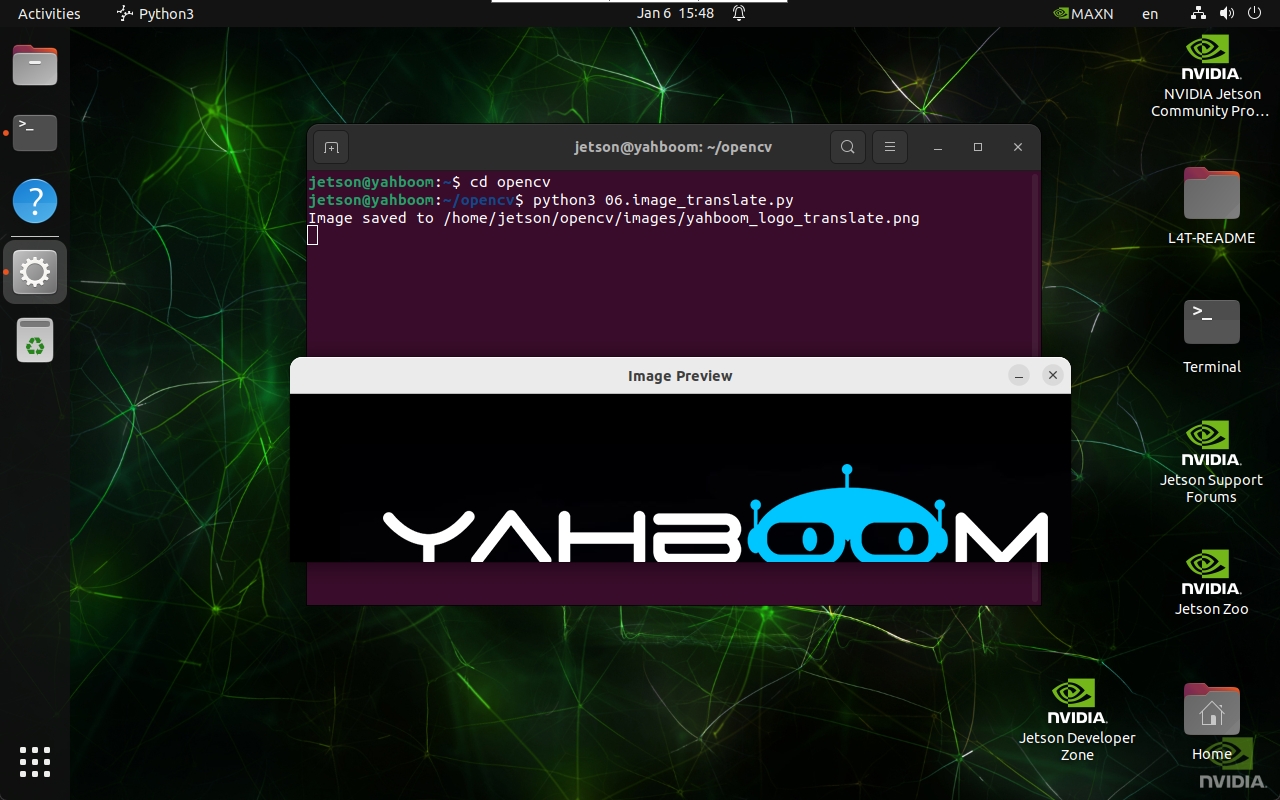
2. Implementation Effect
Navigate to the OpenCV working directory:
cd ~/opencv
Run the image translation script:
python3 06.image_translate.py
note
Select the image window and press q to exit the program.
3. Implementation Code
import cv2
import numpy as np

def translate_image(input_path, output_path, tx, ty):
    image = cv2.imread(input_path)

    if image is None:
        print("Error: Unable to open image file.")
        return

    # Affine transformation matrix
    M = np.float32([
        [1, 0, tx],
        [0, 1, ty]
    ])

    translated_image = cv2.warpAffine(
        image,
        M,
        (image.shape[1], image.shape[0])
    )

    if cv2.imwrite(output_path, translated_image):
        print(f"Image saved to {output_path}")
        cv2.imshow('Image Preview', cv2.imread(output_path))
        cv2.waitKey(0)
        cv2.destroyAllWindows()
    else:
        print("Error: Unable to save image file.")

translate_image(
    '/home/jetson/opencv/images/hemihex_logo.png',
    '/home/jetson/opencv/images/hemihex_logo_translate.png',
    50,
    50
)
4. Code Explanation
cv2.imread()loads the image into memory\np.float32()defines the affine transformation matrix\cv2.warpAffine()applies the translation\cv2.imwrite()saves the translated image\- Display functions preview the result
Summary
- Image translation shifts an image in X and Y directions
- Implemented using affine transformation
- Useful for augmentation and preprocessing
- Requires explicit transformation matrix
Maintained by HemiHex for OpenCV-based image processing workflows.