17-Preview USB Camera Image
This section explains how to preview live images from a USB camera using OpenCV in Python.
Previewing a USB camera stream is commonly used for: - Camera validation and debugging - Live image inspection - Verifying camera device indexing on Linux systems
1. Implementation Principle
Use the cv2.VideoCapture() function to capture video streams from a
USB camera device.
cv2.VideoCapture(device_index)
device_indexis usually0for/dev/video0- Use
1,2, etc. for additional connected cameras
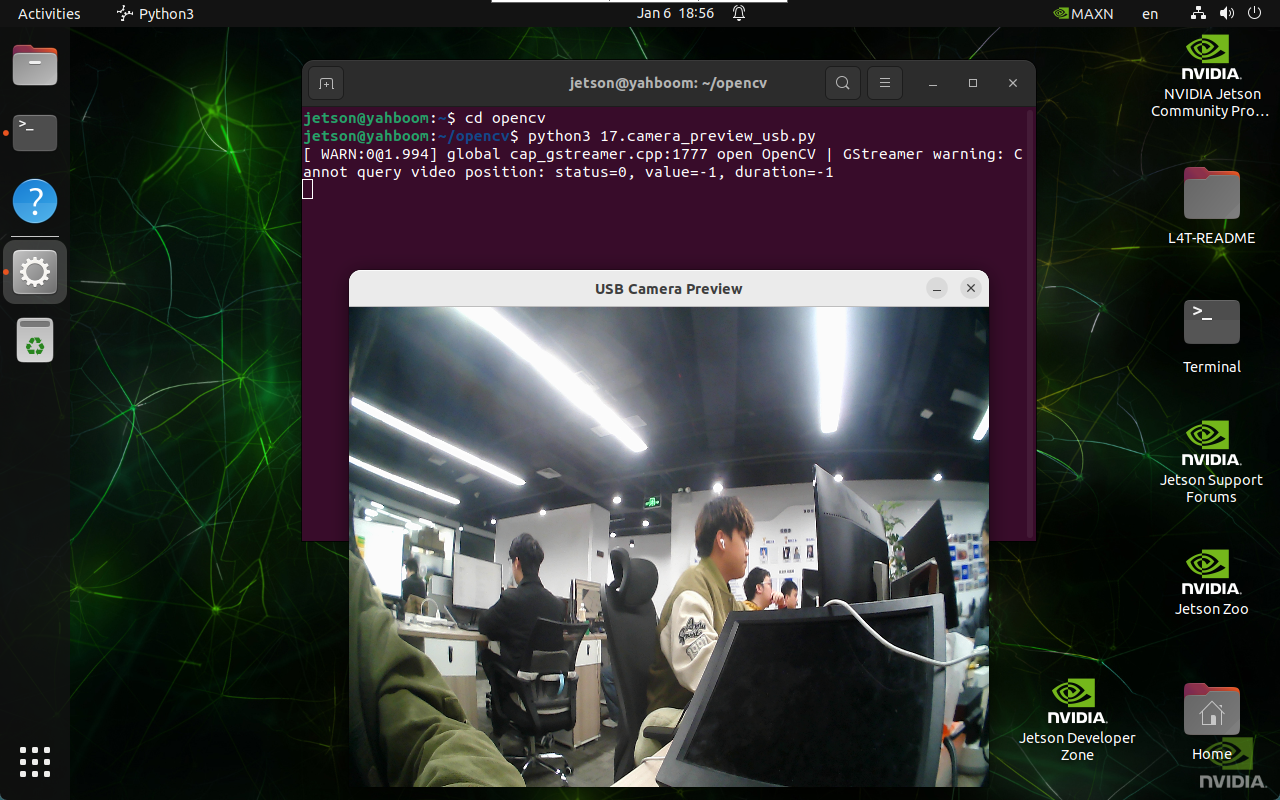
2. Implementation Effect
Navigate to the OpenCV working directory:
cd ~/opencv
Run the USB camera preview script:
python3 17.camera_preview_usb.py
note
The program opens video0 by default. To open other cameras, modify the device index in the code.
Select the camera preview window and press q to exit the program.
3. Implementation Code
import cv2

def preview_usb_camera():
    cap = cv2.VideoCapture(0)

    if not cap.isOpened():
        print("Error: Could not open USB camera.")
        return

    while True:
        ret, frame = cap.read()
        if not ret:
            break

        cv2.imshow(
            'USB Camera Preview',
            cv2.resize(frame, (640, 480))
        )

        if cv2.waitKey(1) & 0xFF == ord('q'):
            break

    cap.release()
    cv2.destroyAllWindows()

preview_usb_camera()
4. Code Explanation
cv2.VideoCapture(0)opens/dev/video0cap.read()captures a framecv2.imshow()displays the live streamcv2.waitKey(1)listens for keyboard inputcap.release()releases the camera
Maintained by HemiHex for OpenCV-based image processing workflows.