19-ROS 2 Gazebo Simulation Platform
1. Introduction to Gazebo
Gazebo is the most commonly used 3D physics simulation platform in the ROS system. It supports a dynamics engine and enables high-quality graphics rendering. It not only simulates the robot and its surrounding environment, but also incorporates physical properties such as friction and elasticity.
For example, if we want to develop a Mars rover, we can simulate the Martian surface environment in Gazebo. Or, if we're developing a drone, battery life and flight restrictions prevent us from frequently experimenting with the actual drone. In these cases, we can use Gazebo to simulate first, then deploy to the actual drone once the algorithm is fully developed.
Simulation platforms like Gazebo can help us verify robotic algorithms, optimize robot designs, and test robot applications, providing more possibilities for robotics development.
This section is for learning purposes only. The tutorial does not configure the environment because real-device debugging is used.
2. Installation and Operation
Install Gazebo
sudo apt install ros-${ROS_DISTRO}-gazebo-*
Run Gazebo
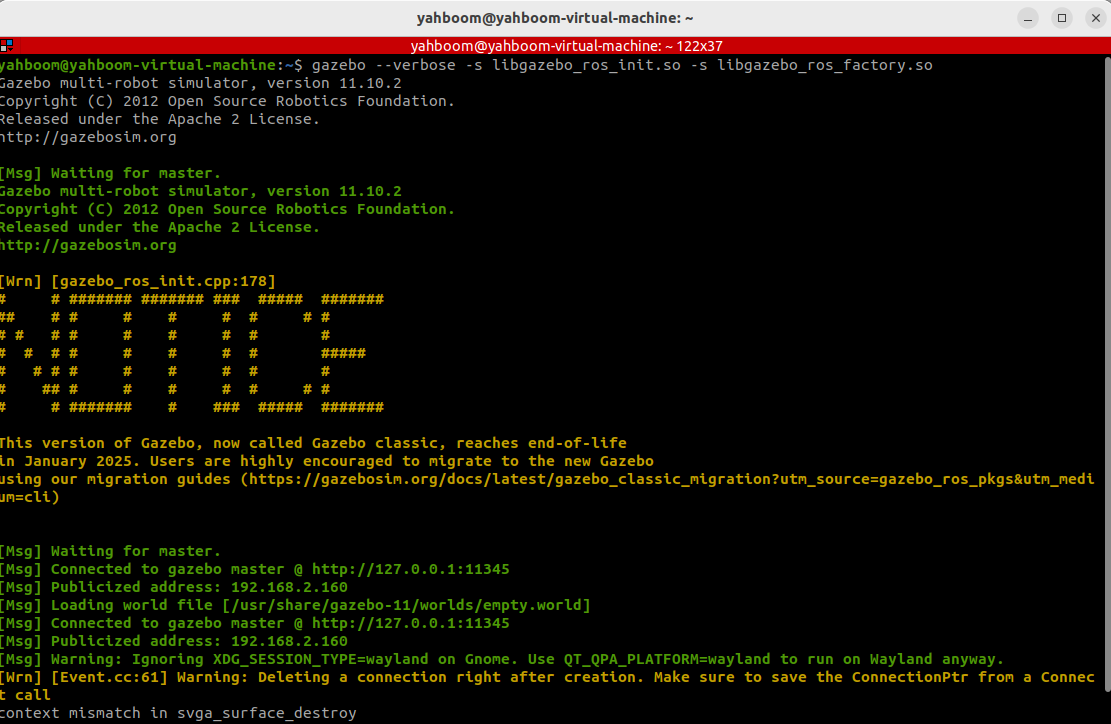
Launch Gazebo using the command below or directly from the desktop icon:
gazebo --verbose -s libgazebo_ros_init.so -s libgazebo_ros_factory.so

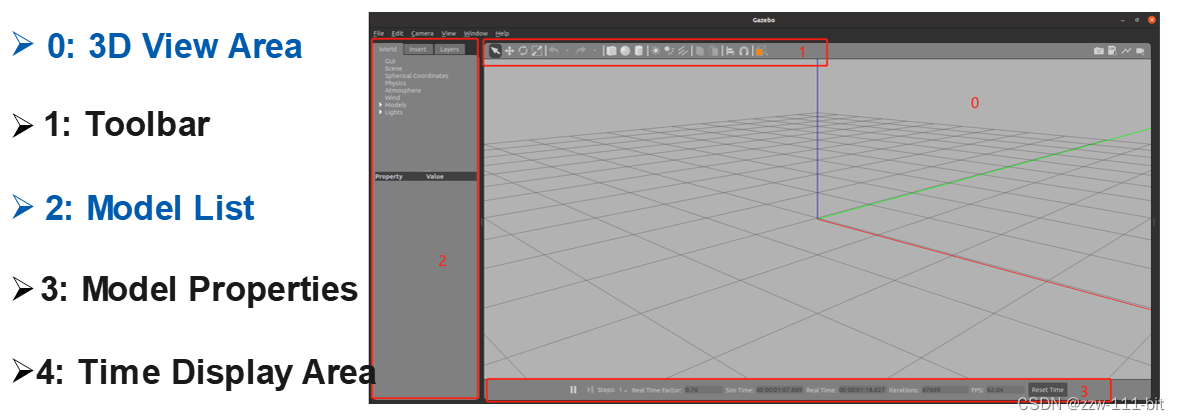
Optional: Offline Model Download
To ensure smooth model loading, you can download offline models and place them in:
~/.gazebo/models
External source: https://github.com/osrf/gazebo_models
3. Start the Gazebo Node and Service
View Nodes
ros2 node list
Expected output:
/gazebo

View Services
ros2 service list
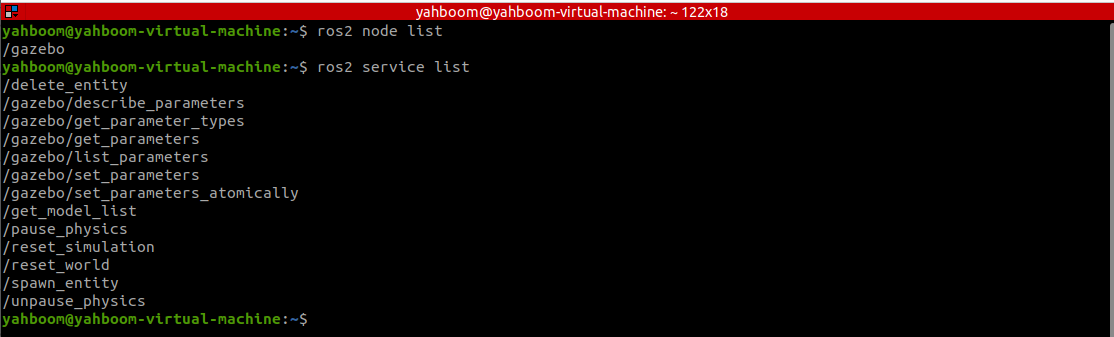
Key services:
/spawn_entity--- Load models into Gazebo\/get_model_list--- Get model list\/delete_entity--- Delete models
4. Create a Function Package
Create a package for storing URDF and launch files:
ros2 pkg create myrobot --build-type ament_cmake
Create folders and files:
launch/urdf/demo01_base.urdf
demo01_base.urdf
<robot name="myrobot">
  <link name="base_link">
    <visual>
      <geometry>
        <box size="0.2 0.2 0.2"/>
      </geometry>
      <origin xyz="0.0 0.0 0.0"/>
    </visual>
    <collision>
      <geometry>
        <box size="0.2 0.2 0.2"/>
      </geometry>
      <origin xyz="0.0 0.0 0.0"/>
    </collision>
    <inertial>
      <mass value="0.1"/>
      <inertia ixx="0.000190416666667" ixy="0" ixz="0" iyy="0.0001904" iyz="0" izz="0.00036"/>
    </inertial>
  </link>
  <gazebo reference="base_link">
    <material>Gazebo/Red</material>
  </gazebo>
</robot>
5. Writing the Launch File
The launch file handles:
- Starting Gazebo\
- Spawning the robot model
Start Gazebo Command
start_gazebo_cmd = ExecuteProcess(
    cmd=['gazebo', '--verbose',
         '-s', 'libgazebo_ros_init.so',
         '-s', 'libgazebo_ros_factory.so'],
    output='screen')
Spawn Model Command
spawn_entity_cmd = Node(
    package='gazebo_ros',
    executable='spawn_entity.py',
    arguments=['-entity', robot_name_in_model, '-file', urdf_model_path],
    output='screen')
-entity: Model name\-file: URDF file path
6. Complete Launch File Example
Create bringup_model.launch.py inside the launch directory:
import os
from launch import LaunchDescription
from launch.actions import ExecuteProcess
from launch_ros.actions import Node
from launch_ros.substitutions import FindPackageShare

def generate_launch_description():

    pkg_share = FindPackageShare(package='myrobot').find('myrobot')
    urdf_model_path = os.path.join(pkg_share, 'urdf/demo01_base.urdf')

    start_gazebo_cmd = ExecuteProcess(
        cmd=['gazebo', '--verbose',
             '-s', 'libgazebo_ros_init.so',
             '-s', 'libgazebo_ros_factory.so'],
        output='screen')

    spawn_entity_cmd = Node(
        package='gazebo_ros',
        executable='spawn_entity.py',
        arguments=['-entity', 'myrobot',
                   '-file', urdf_model_path],
        output='screen')

    return LaunchDescription([
        start_gazebo_cmd,
        spawn_entity_cmd
    ])
This documentation is maintained by HemiHex for ROS 2 Gazebo simulation workflows.