06-ROS 2 Topic Communication
1. Introduction to Topic Communication
Topic communication is the most frequently used communication method in ROS 2. A publisher publishes data on a specified topic, and subscribers who subscribe to that topic receive the data.
Topic communication is based on the publish/subscribe model.
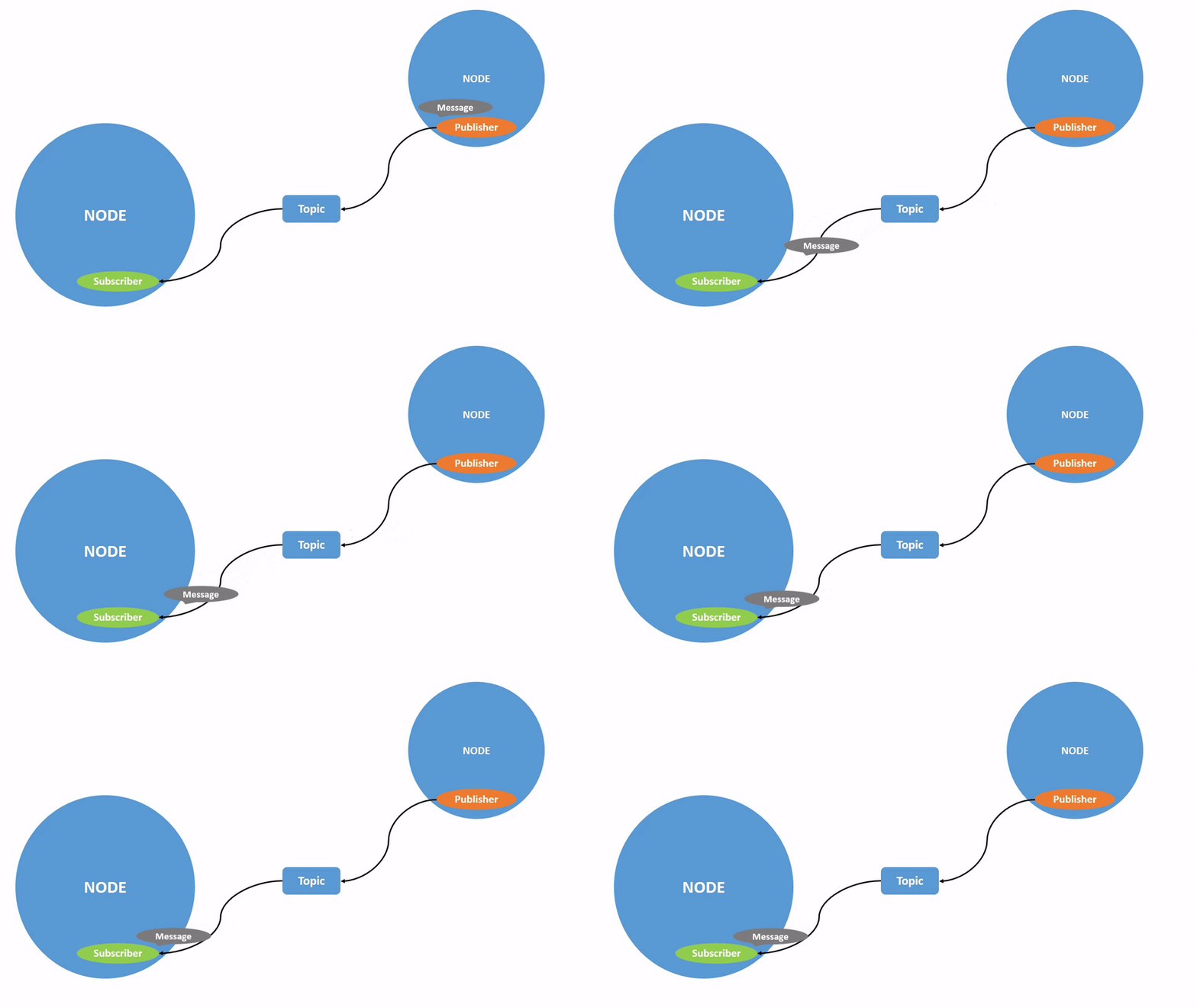
Topic data transmission is a process where data is transmitted from one node to another. The object sending data is called a publisher, and the object receiving data is called a subscriber. Each topic must have a name, and the transmitted data must have a fixed data type.
Next, we will explain how to implement topic communication between nodes using Python.
2. Create a New Package
- Switch to the
srcdirectory of the workspace\ - Create a new
pkg_topicpackage
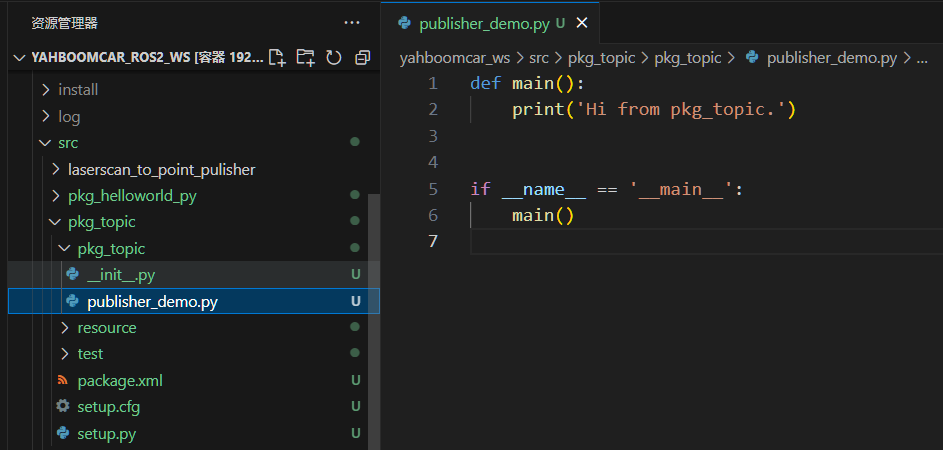
ros2 pkg create pkg_topic --build-type ament_python --dependencies rclpy --node-name publisher_demo
After executing the above command, the pkg_topic package will be
created along with a publisher_demo node and the relevant
configuration files.
3. Publisher Implementation
3.1 Create a Publisher
Edit publisher_demo.py and add the following code:
import rclpy
from rclpy.node import Node
from std_msgs.msg import String

class Topic_Pub(Node):
    def __init__(self, name):
        super().__init__(name)
        self.pub = self.create_publisher(String, "/topic_demo", 1)
        self.timer = self.create_timer(1, self.pub_msg)

    def pub_msg(self):
        msg = String()
        msg.data = "Hi, I send a message."
        self.pub.publish(msg)

def main():
    rclpy.init()
    pub_demo = Topic_Pub("publisher_node")
    rclpy.spin(pub_demo)
    pub_demo.destroy_node()
    rclpy.shutdown()
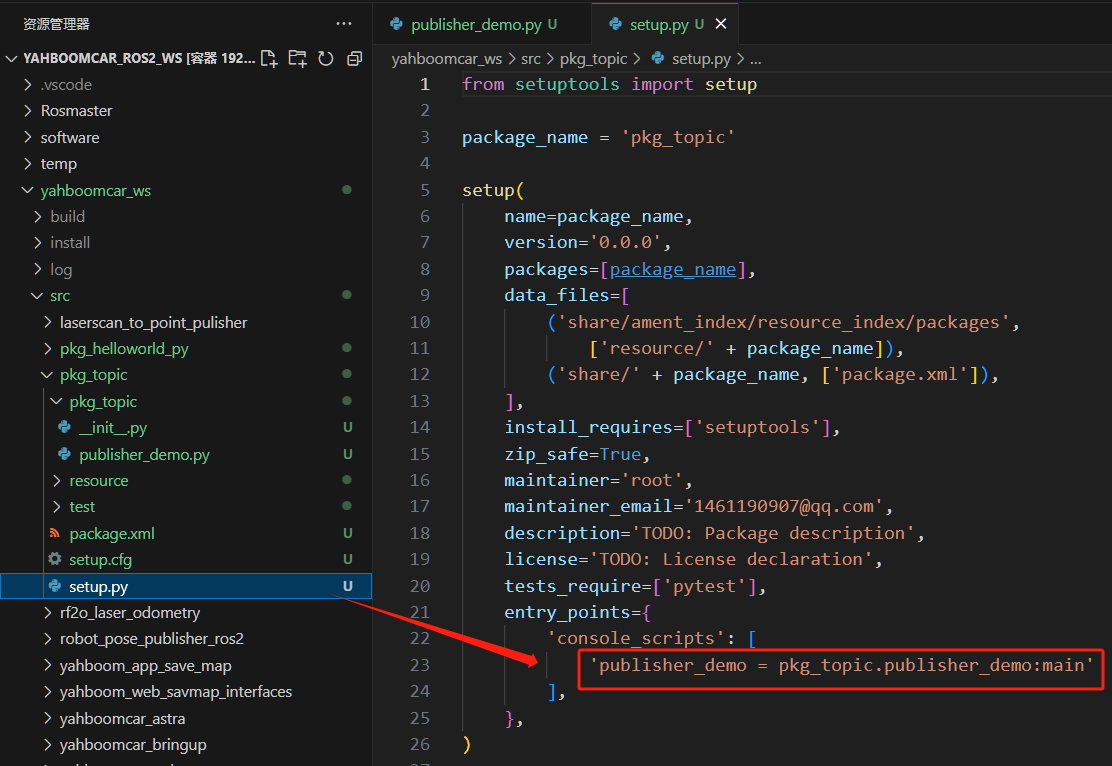
3.2 Editing the Configuration File
3.3 Compiling the Package
colcon build --packages-select pkg_topic
Refresh the workspace:
source install/setup.bash
3.4 Running the Program
ros2 run pkg_topic publisher_demo
Check published topics:
ros2 topic list

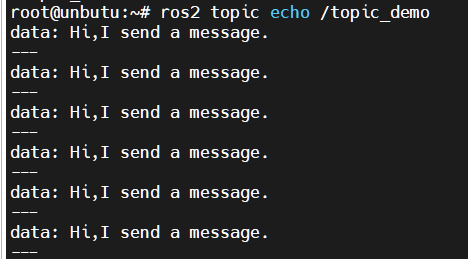
View topic data:
ros2 topic echo /topic_demo
4. Subscriber Implementation
4.1 Creating a Subscriber
Create a new file subscriber_demo.py in the same directory as
publisher_demo.py.
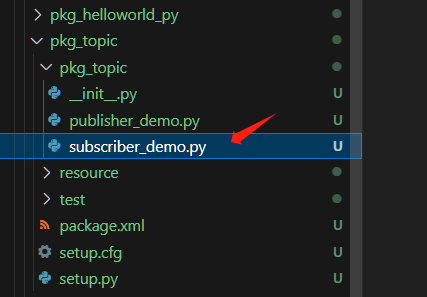
Edit the file with the following code:
import rclpy
from rclpy.node import Node
from std_msgs.msg import String

class Topic_Sub(Node):
    def __init__(self, name):
        super().__init__(name)
        self.sub = self.create_subscription(String, "/topic_demo", self.sub_callback, 1)

    def sub_callback(self, msg):
        self.get_logger().info(msg.data)

def main():
    rclpy.init()
    sub_demo = Topic_Sub("subscriber_node")
    rclpy.spin(sub_demo)
    sub_demo.destroy_node()
    rclpy.shutdown()
4.2 Editing the Configuration File
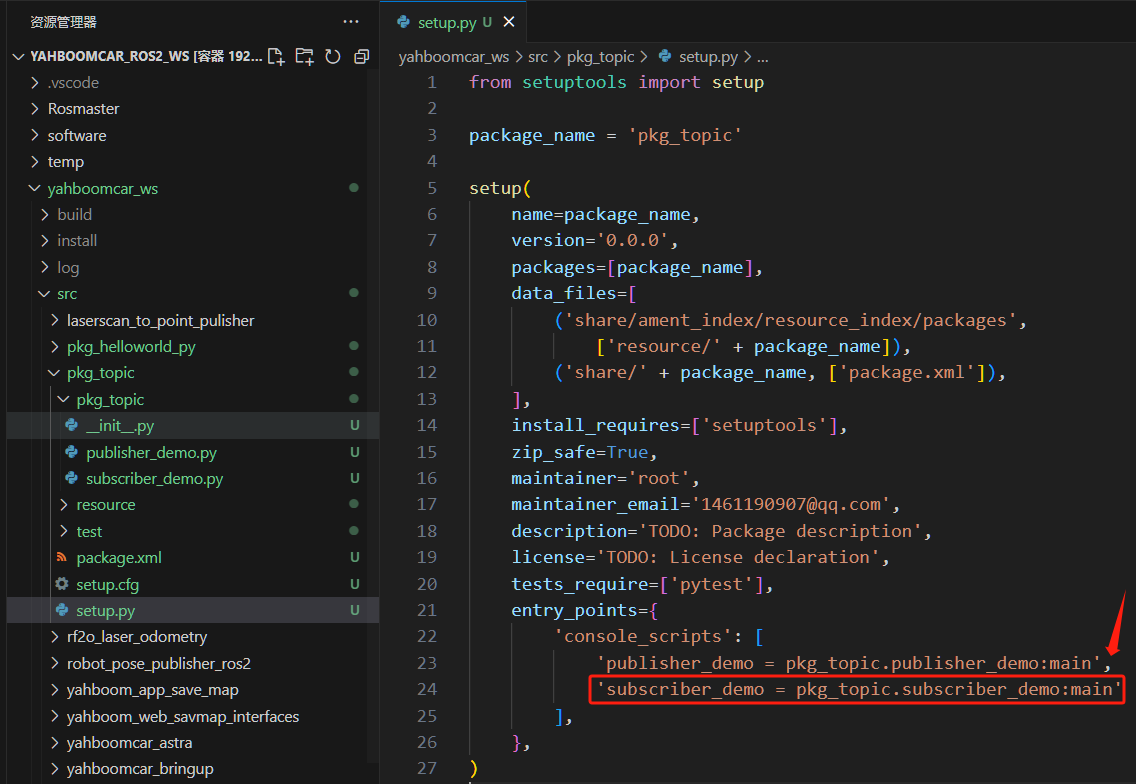
4.3 Compile the Workspace
colcon build