15-ROS 2 RQt Toolbox
- This tutorial folder contains demo animations that visually illustrate the process of implementing the examples in this section.
1. Introduction to RQt
RQt is a modular visualization and debugging tool provided by ROS. Like
RViz, it is built on the Qt framework. Before using it, you need to
install it and then start it using the rqt command.
2. Installation
- In most cases, the RQt toolbox is installed by default when you install the ROS 2 desktop version.
- If you installed a minimal version of ROS and RQt is missing, you can install it manually using:
sudo apt install ros-${ROS_DISTRO}-rqt*
3. Startup
Common methods to start RQt include:
Method 1
rqt
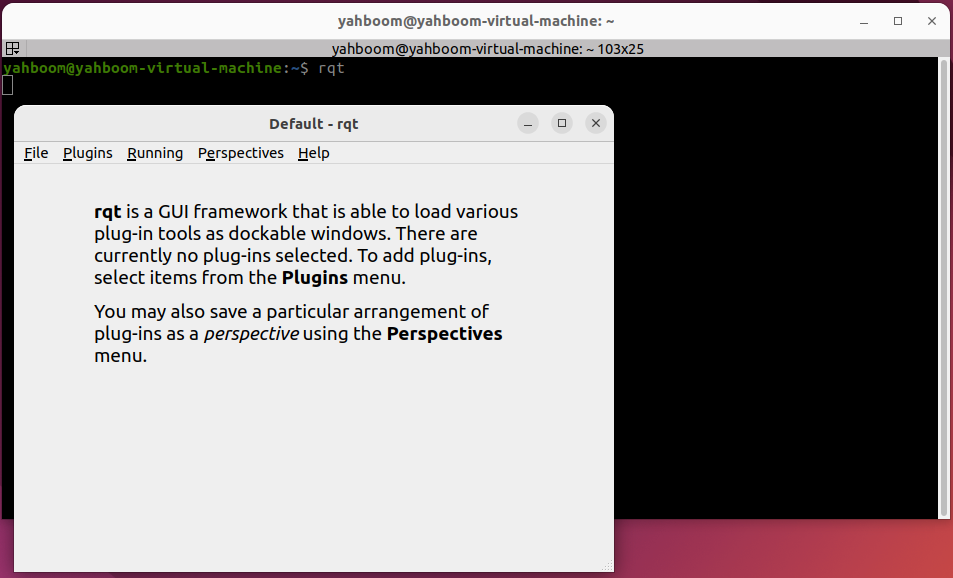
Method 2
ros2 run rqt_gui rqt_gui
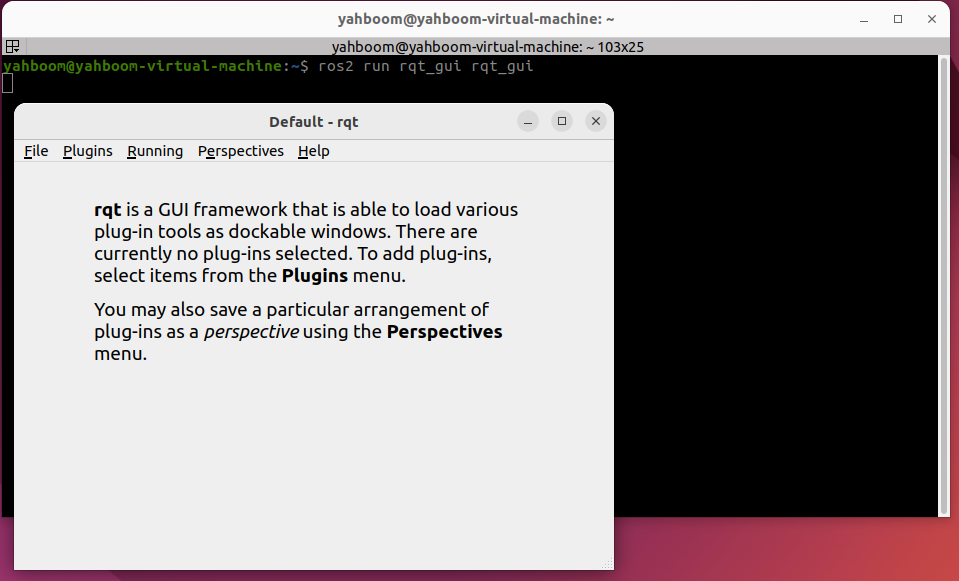
4. Plugin Usage
After starting RQt, you can load different plugins through the Plugins menu.
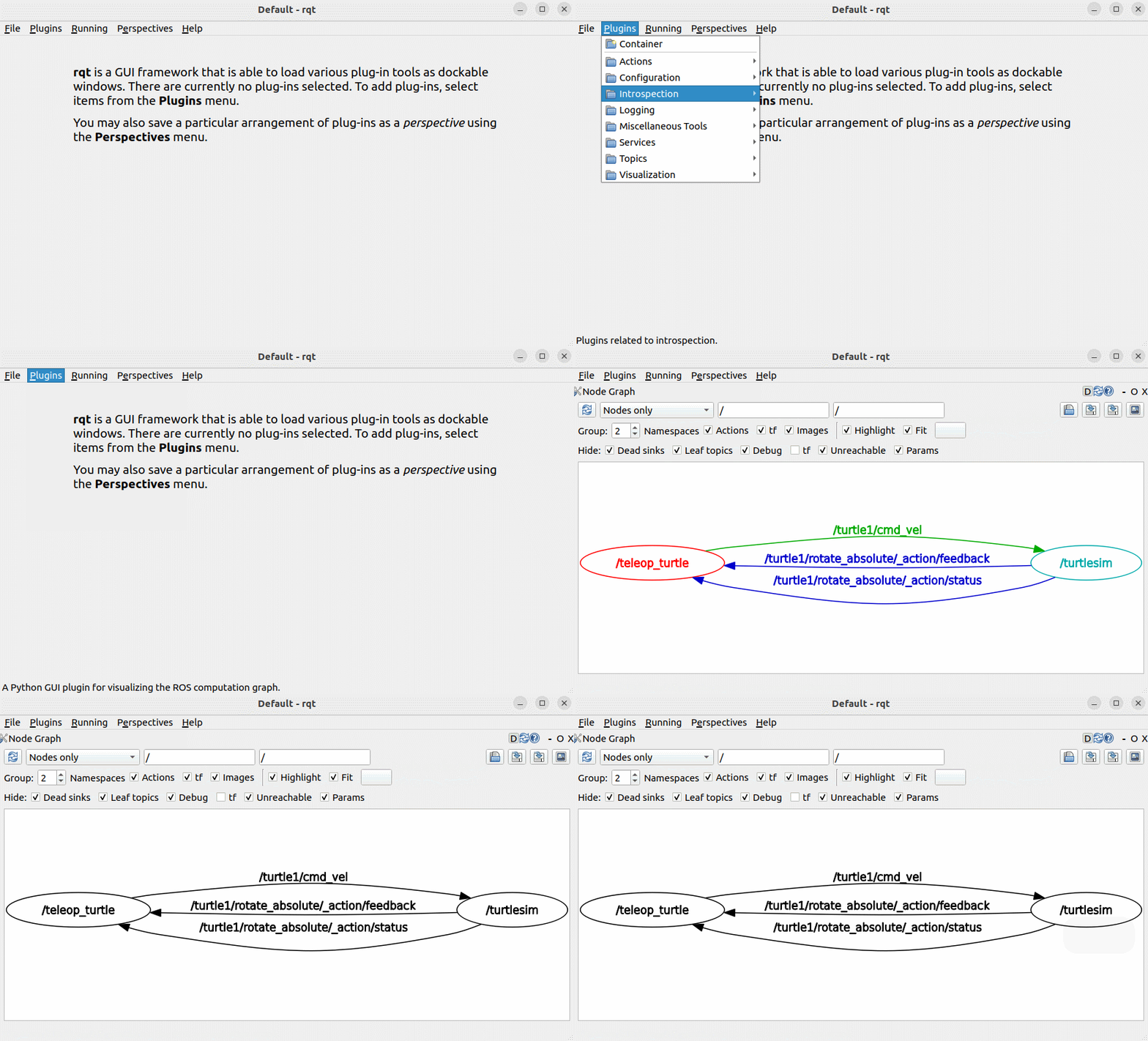
The plugin system includes tools for:
- Topics\
- Services\
- Actions\
- Parameters\
- Logging
You can select plugins as needed to simplify debugging and system introspection. Example use cases are shown below.
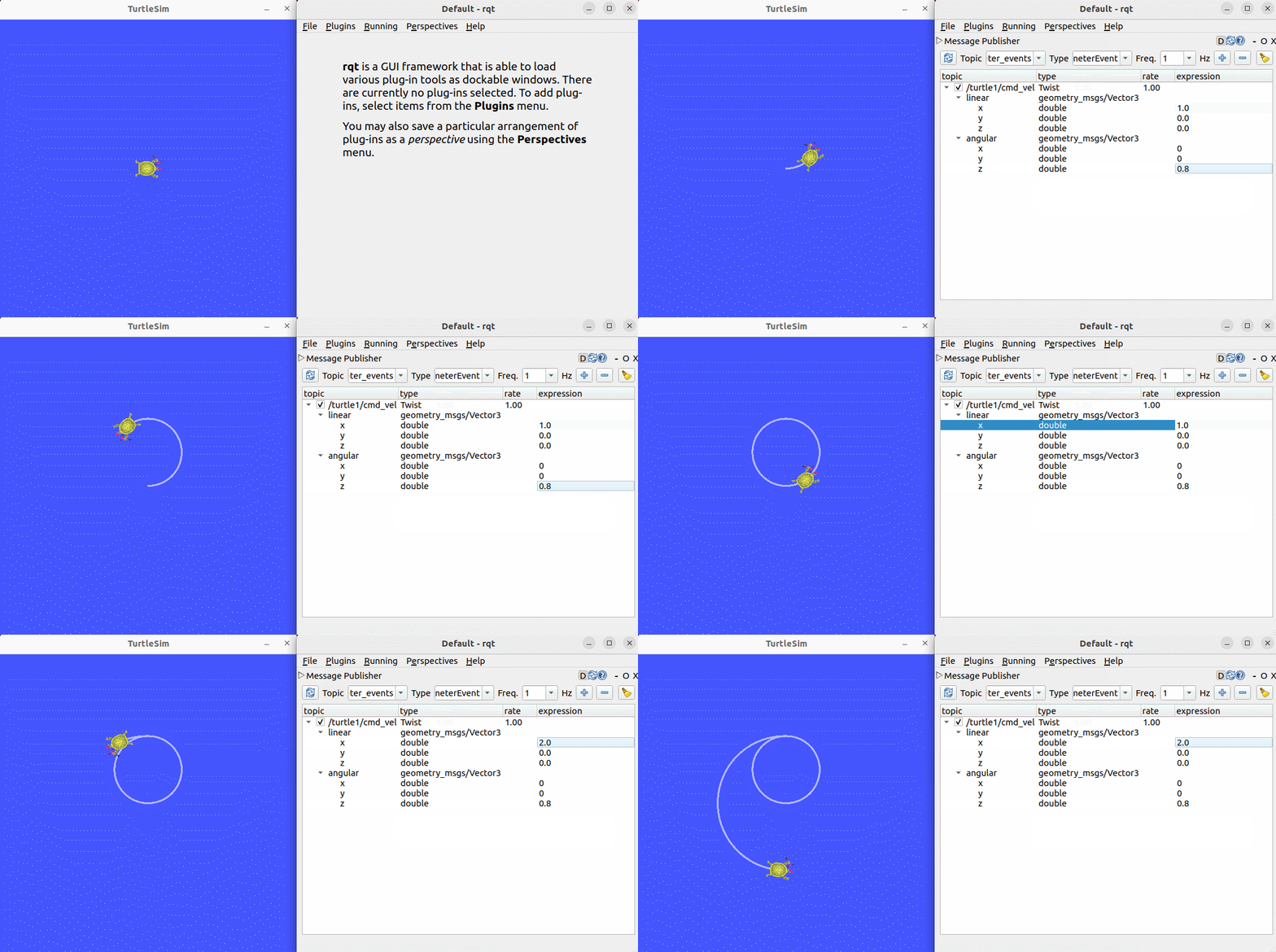
4.1 Topic Plugin
Add the Topic plugin and send speed commands to control the turtle's movement.
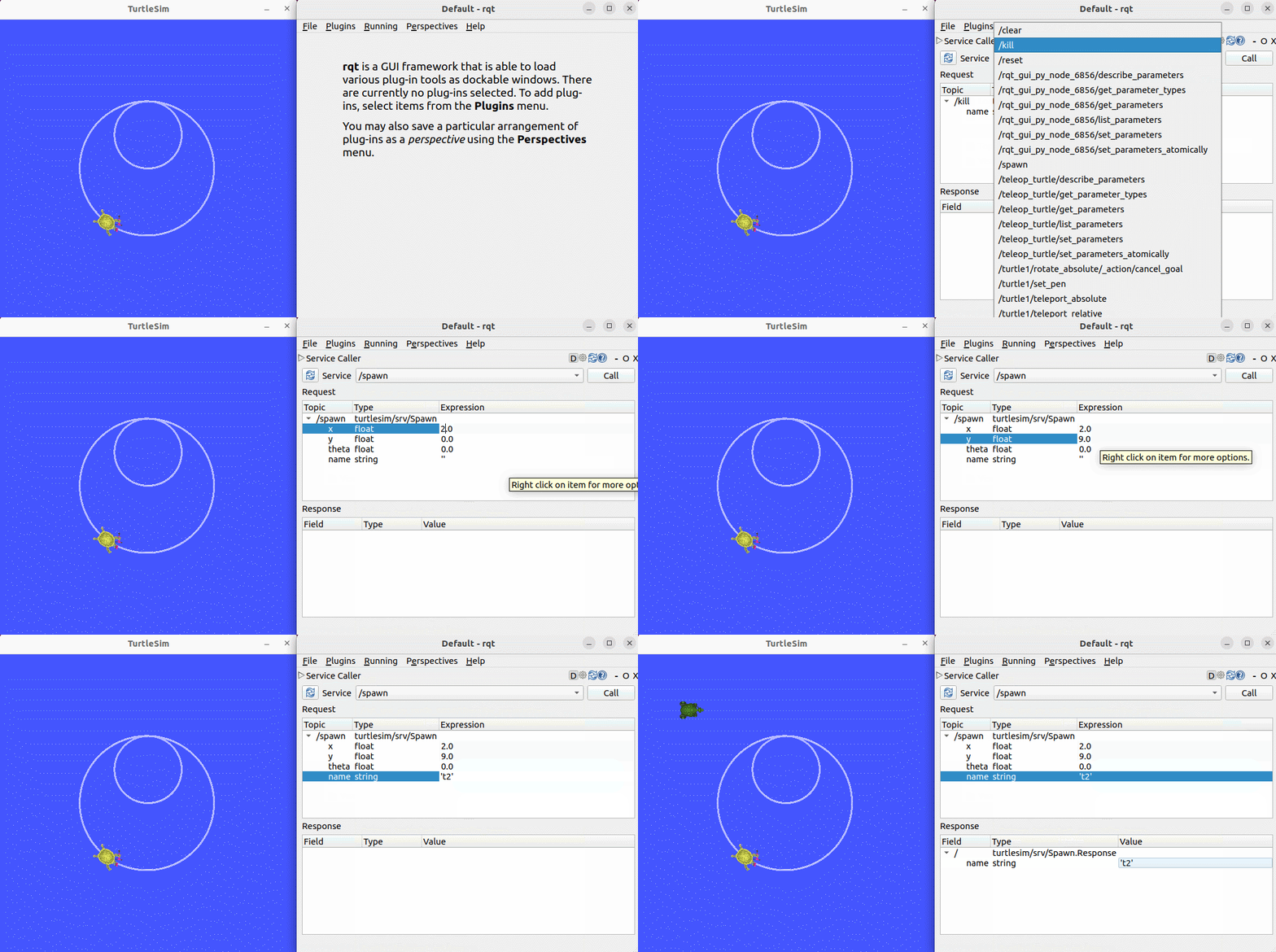
4.2 Service Plugin
Add the Service plugin and send a request to spawn a turtle at a specified location.
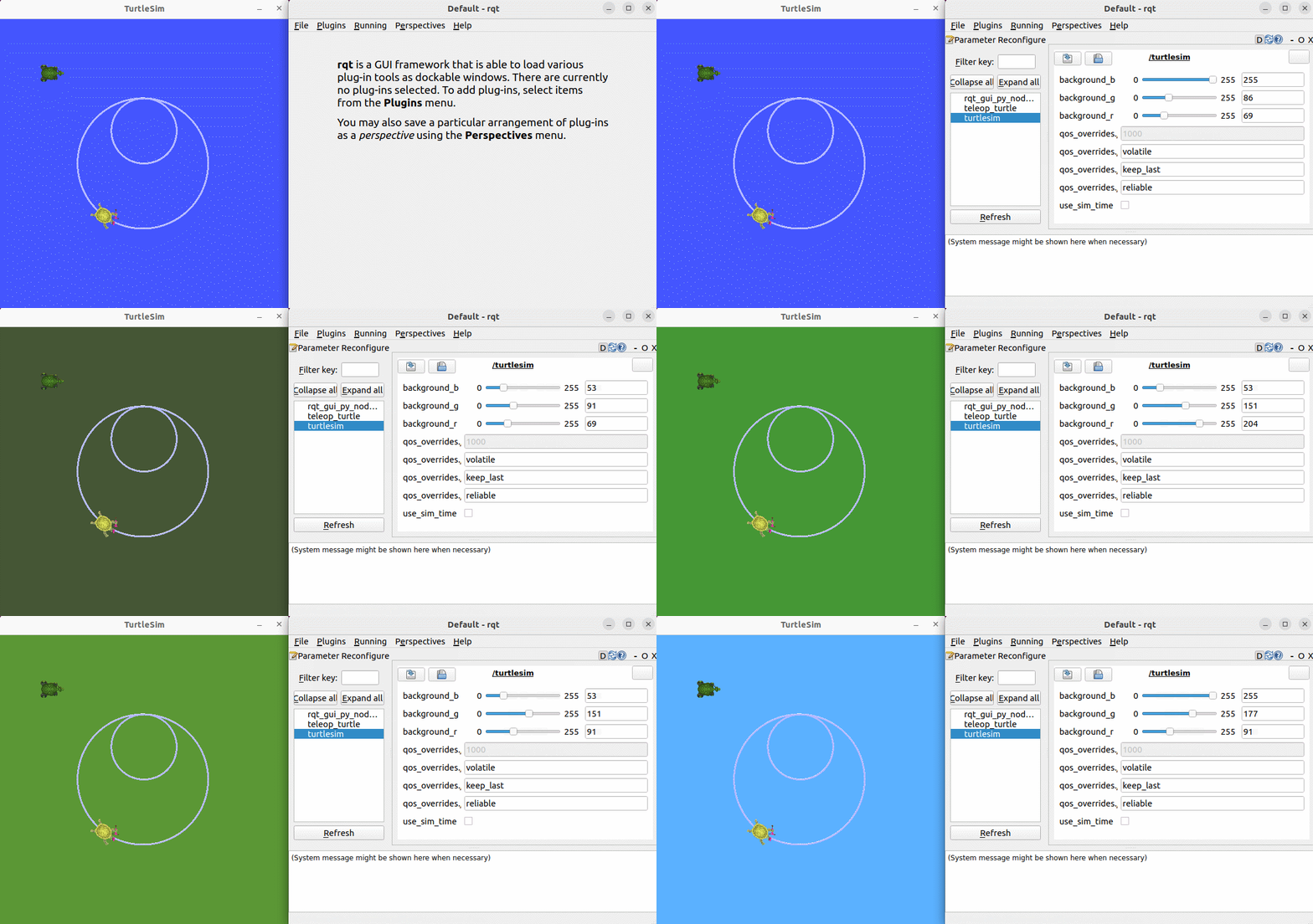
4.3 Parameter Plugin
Use the Parameter plugin to dynamically change the background color of the turtle simulation window.
This documentation is maintained by HemiHex for ROS 2 visualization and debugging workflows.